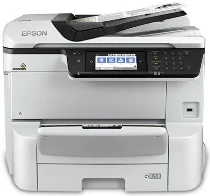
Software y controladores para la impresora Epson WorkForce Pro WF-C8690 en Windows y macOS.
Sistemas operativos Microsoft Windows compatibles
Windows 11
Windows 10 (32-bit y 64-bit)
Windows 8.1 (32-bit y 64-bit)
Windows 8 (32-bit y 64-bit)
Windows 7 (32-bit y 64-bit)
Windows Vista (32-bit y 64-bit)
Windows XP (32-bit y 64-bit)
Sistemas operativos compatibles: Windows 11, Windows 10 32-bit y 64-bit, Windows 8.1 32-bit y 64-bit, Windows 8 32-bit y 64-bit, Windows 7 32-bit y 64-bit, Windows Vista 32-bit y 64-bit
Este instalador del paquete de controladores contiene los siguientes elementos:
- Controlador de impresora
- Controlador de escáner y utilidad Epson Scan 2
- Document Capture Pro
- Epson FAX Utility
- Epson Scan 2 OCR Component
- Epson Software Updater
Sistemas operativos compatibles: Windows XP 32-bit y 64-bit
Este instalador del paquete de controladores contiene los siguientes elementos:
- Controlador de impresora
- Controlador de escáner y utilidad Epson Scan 2
- Document Capture Pro
- Epson FAX Utility
- Epson Scan 2 OCR Component
- Epson Software Updater
Sistemas operativos compatibles: Windows 10 32-bit, Windows 8.1 32-bit, Windows 8 32-bit, Windows 7 32-bit, Windows Vista 32-bit, Windows XP 32-bit
Sistemas operativos compatibles: Windows 11, Windows 10 64-bit, Windows 8.1 64-bit, Windows 8 64-bit, Windows 7 64-bit, Windows Vista 64-bit, Windows XP 64-bit
Sistemas operativos compatibles: Windows 10 32-bit, Windows 8.1 32-bit, Windows 8 32-bit, Windows 7 32-bit, Windows Vista 32-bit, Windows XP 32-bit
Sistemas operativos compatibles: Windows 11, Windows 10 64-bit, Windows 8.1 64-bit, Windows 8 64-bit, Windows 7 64-bit, Windows Vista 64-bit, Windows XP 64-bit
Sistemas operativos compatibles: Windows 11, Windows 10 32-bit y 64-bit, Windows 8.1 32-bit y 64-bit, Windows 8 32-bit y 64-bit, Windows 7 32-bit y 64-bit, Windows Vista 32-bit y 64-bit, Windows XP 32-bit y 64-bit
Sistemas operativos compatibles: Windows 10 32-bit, Windows 8.1 32-bit, Windows 8 32-bit, Windows 7 32-bit, Windows Vista 32-bit, Windows XP 32-bit
Sistemas operativos compatibles: Windows 11, Windows 10 64-bit, Windows 8.1 64-bit, Windows 8 64-bit, Windows 7 64-bit, Windows Vista 64-bit, Windows XP 64-bit
Sistemas operativos compatibles: Windows 11, Windows 10 64-bit, Windows 8.1 64-bit, Windows 8 64-bit, Windows 7 64-bit, Windows Vista 64-bit, Windows XP 64-bit
Sistemas operativos compatibles: Windows 10 32-bit, Windows 8.1 32-bit, Windows 8 32-bit, Windows 7 32-bit, Windows Vista 32-bit, Windows XP 32-bit
Sistemas operativos compatibles: Windows 11, Windows 10 64-bit, Windows 8.1 64-bit, Windows 8 64-bit, Windows 7 64-bit, Windows Vista 64-bit, Windows XP 64-bit
Sistemas operativos compatibles: Windows 10 32-bit, Windows 8.1 32-bit, Windows 8 32-bit, Windows 7 32-bit, Windows Vista 32-bit, Windows XP 32-bit
Sistemas operativos compatibles: Windows 10 64-bit, Windows 8.1 64-bit, Windows 8 64-bit, Windows 7 64-bit, Windows Vista 64-bit, Windows XP 64-bit
Sistemas operativos compatibles: Windows 10 32-bit, Windows 8.1 32-bit, Windows 8 32-bit, Windows 7 32-bit, Windows Vista 32-bit, Windows XP 32-bit
Sistemas operativos compatibles: Windows 10 64-bit, Windows 8.1 64-bit, Windows 8 64-bit, Windows 7 64-bit, Windows Vista 64-bit, Windows XP 64-bit
Sistemas operativos macOS compatibles
macOS Ventura 13
macOS Monterey 12
macOS Big Sur 11
macOS Catalina 10.15
macOS Mojave 10.14
macOS High Sierra 10.13
macOS Sierra 10.12
OS X El Capitan 10.11
OS X Yosemite 10.10
OS X Mavericks 10.9
OS X Mountain Lion 10.8
Mac OS X Lion 10.7
Mac OS X Snow Leopard 10.6
Sistemas operativos compatibles: macOS Catalina 10.15, macOS Big Sur 11, macOS Monterey 12, macOS Ventura 13
Este instalador del paquete de controladores contiene los siguientes elementos:
- Controlador de impresora
- Controlador de escáner y utilidad Epson Scan 2
- Document Capture
- Epson FAX Utility
- Epson Software Updater
Sistemas operativos compatibles: Mac OS X Lion 10.7, OS X Mountain Lion 10.8, OS X Mavericks 10.9, OS X Yosemite 10.10, OS X El Capitan 10.11, macOS Sierra 10.12, macOS High Sierra 10.13, macOS Mojave 10.14
Este instalador del paquete de controladores contiene los siguientes elementos:
- Controlador de impresora
- Controlador de escáner y utilidad Epson Scan 2
- Document Capture
- Epson FAX Utility
- Epson Software Updater
Sistemas operativos compatibles: Mac OS X Snow Leopard 10.6, Mac OS X Lion 10.7, OS X Mountain Lion 10.8, OS X Mavericks 10.9, OS X Yosemite 10.10, OS X El Capitan 10.11, macOS Sierra 10.12, macOS High Sierra 10.13, macOS Mojave 10.14, macOS Catalina 10.15, macOS Big Sur 11, macOS Monterey 12, macOS Ventura 13
Sistemas operativos compatibles: Mac OS X Snow Leopard 10.6, Mac OS X Lion 10.7, OS X Mountain Lion 10.8, OS X Mavericks 10.9, OS X Yosemite 10.10, OS X El Capitan 10.11, macOS Sierra 10.12, macOS High Sierra 10.13, macOS Mojave 10.14, macOS Catalina 10.15, macOS Big Sur 11, macOS Monterey 12, macOS Ventura 13
Sistemas operativos compatibles: Mac OS X Snow Leopard 10.6, Mac OS X Lion 10.7, OS X Mountain Lion 10.8, OS X Mavericks 10.9, OS X Yosemite 10.10, OS X El Capitan 10.11, macOS Sierra 10.12, macOS High Sierra 10.13, macOS Mojave 10.14, macOS Catalina 10.15, macOS Big Sur 11, macOS Monterey 12, macOS Ventura 13
Sistemas operativos compatibles: Mac OS X Snow Leopard 10.6, Mac OS X Lion 10.7, OS X Mountain Lion 10.8, OS X Mavericks 10.9, OS X Yosemite 10.10, OS X El Capitan 10.11, macOS Sierra 10.12, macOS High Sierra 10.13, macOS Mojave 10.14, macOS Catalina 10.15, macOS Big Sur 11, macOS Monterey 12
Especificaciones de Epson WorkForce Pro WF-C8690
Si necesitas realizar tiradas de impresión de gran volumen a diario, la multifunción Epson WorkForce Pro WF-C8690 A3 es una solución todo en uno. La WF-C8690 admite impresiones de hasta 13 x 19 pulgadas en tamaño A3 y puede producir fácilmente hojas de cálculo y gráficos de gran tamaño con un aspecto profesional. Además, PrecisionCore permite que la impresora produzca impresiones nítidas y copias con la rapidez necesaria para satisfacer las exigencias de los entornos de trabajo actuales.
El WF-C8690 está diseñado para facilitar su uso. Tiene un panel táctil de pantalla grande que se usa en teléfonos móviles y puede configurarlo rápidamente con una excelente interfaz de usuario. Lo completa con funciones como impresión automática a doble cara, escaneo, copia y envío de faxes, que pueden aumentar significativamente la productividad en la oficina. Además, con su capacidad máxima de 1,830 hojas, la impresora necesita recargarse con menos frecuencia. Sus opciones de conectividad, que incluyen Wi-Fi Direct, NFC y Ethernet, mejoran aún más su flexibilidad, permitiendo una integración perfecta en la mayoría de las configuraciones del lugar de trabajo.
En lo que respecta a la rentabilidad, Epson la distingue de las impresoras láser a color más costosas por un menor costo por página, lo que hace que este modelo sea aún más económico para imprimir en color. Más que eso, los cartuchos de larga duración y alto rendimiento significan que puede imprimir bastantes páginas antes de que sea necesario reemplazarlos. Minimiza la necesidad de mantenimiento y los períodos de inactividad entre trabajos de impresión. Por lo tanto, las oficinas que deseen reducir sus gastos por página y al mismo tiempo exigir calidad y eficiencia pueden encontrar una solución en el WF-C8690. Estas empresas pueden beneficiarse de sus capacidades multifuncionales A3 mientras sopesan los costos.